
The voice service
The voice service's pages: Overview, downloading the voice model, voice profiles, Live view, Settings and Runtime.
The voice service (voiceserver) is the interpreter's voice: it speaks the translated sentence, optionally in the speaker's cloned voice. Like the translator, it has two parts: the front end, which accepts the requests and provides the web interface, and the engine, which runs the XTTS-v2 speech model. On the machine the interface is at http://127.0.0.1:8091/admin by default; the header says "Speech service".
Two terms that come up throughout this chapter:
| Term | What it means |
|---|---|
| voice sample | A recording of the speaker a few seconds long. It stays on the LiveCaption machine and is never uploaded to the service. |
| voice profile | The voice imprint calculated from the voice sample, saved under a name on the service machine. The engine can speak in the same voice from it, but the recording itself cannot be restored from it. |
Overview
The Overview works as described in the common pages; on the voice service it shows three boxes: Front end (version, start time, uptime, the Speech API address, the number of requests), Engine (whether it is supervised, its port, the number of automatic restarts, the engine's folder) and Speech synthesis (the engine's own report: the model, the device, the load).
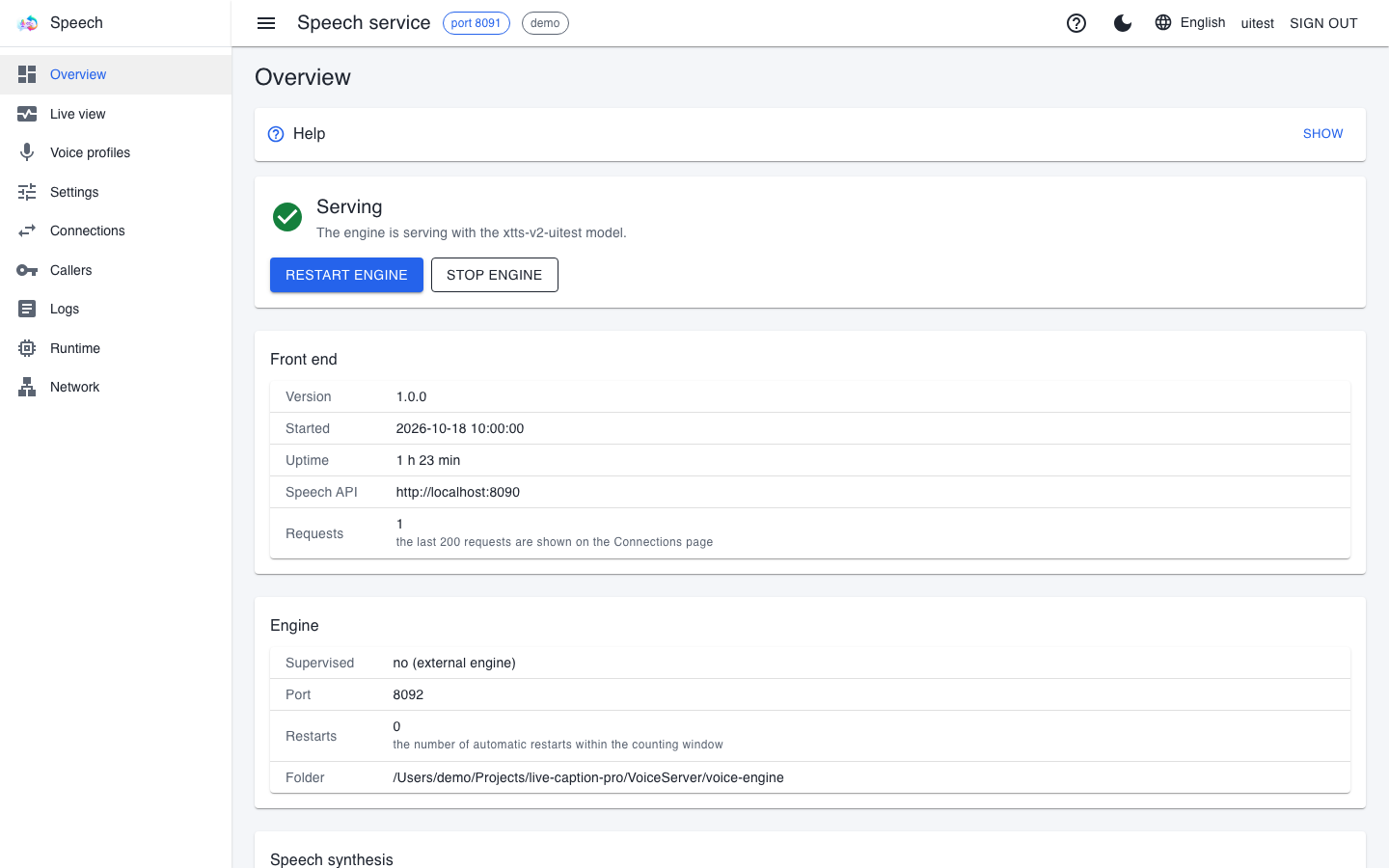
- Restart engine is needed when the engine is stuck.
- Stop engine stops the engine for good and frees the video memory; the interpreter stays silent until then.
- If the engine crashes, the front end restarts it automatically; the Restarts row shows how many times this happened. If the number keeps growing, look for the reason on the Logs page.
The speech model
At the top of the Voice profiles page is The speech model (XTTS-v2) box: whether the model is present, and how large it is. Without the model the engine cannot even start. If it says "The model is present", there is nothing to do.
If the model is missing or incomplete (an earlier download was interrupted), it can be downloaded from here too (roughly 1.8 GB, from Hugging Face):
- Read the licence (the The licence text link). The model is available under the Coqui Public Model License (CPML), and may be used for non-commercial purposes only.
- Tick I accept the CPML licence; the download button only becomes active after that.
- Press the Download model button. The progress is shown as a percentage and as the amount downloaded, together with the speed and the time remaining.
- If you change your mind, the Cancel button stops it; the half-finished files are deleted.
- After a successful download, a failed engine restarts by itself. An engine stopped on purpose is not started – start it with the Restart engine button.
Downloading needs a real sign-in and the right to download models, and the audit log records who started it and that they accepted the licence. If no data arrives for two minutes, the download has stalled: the service stops it, and the box says so – check the network and start it again. If the console setup tool (prepare-engine) or another instance is downloading the same model on the machine right now, the page does not start a second download but tells you to wait.
Voice profiles
The Voice profiles page lists which voices the voice service can speak with.
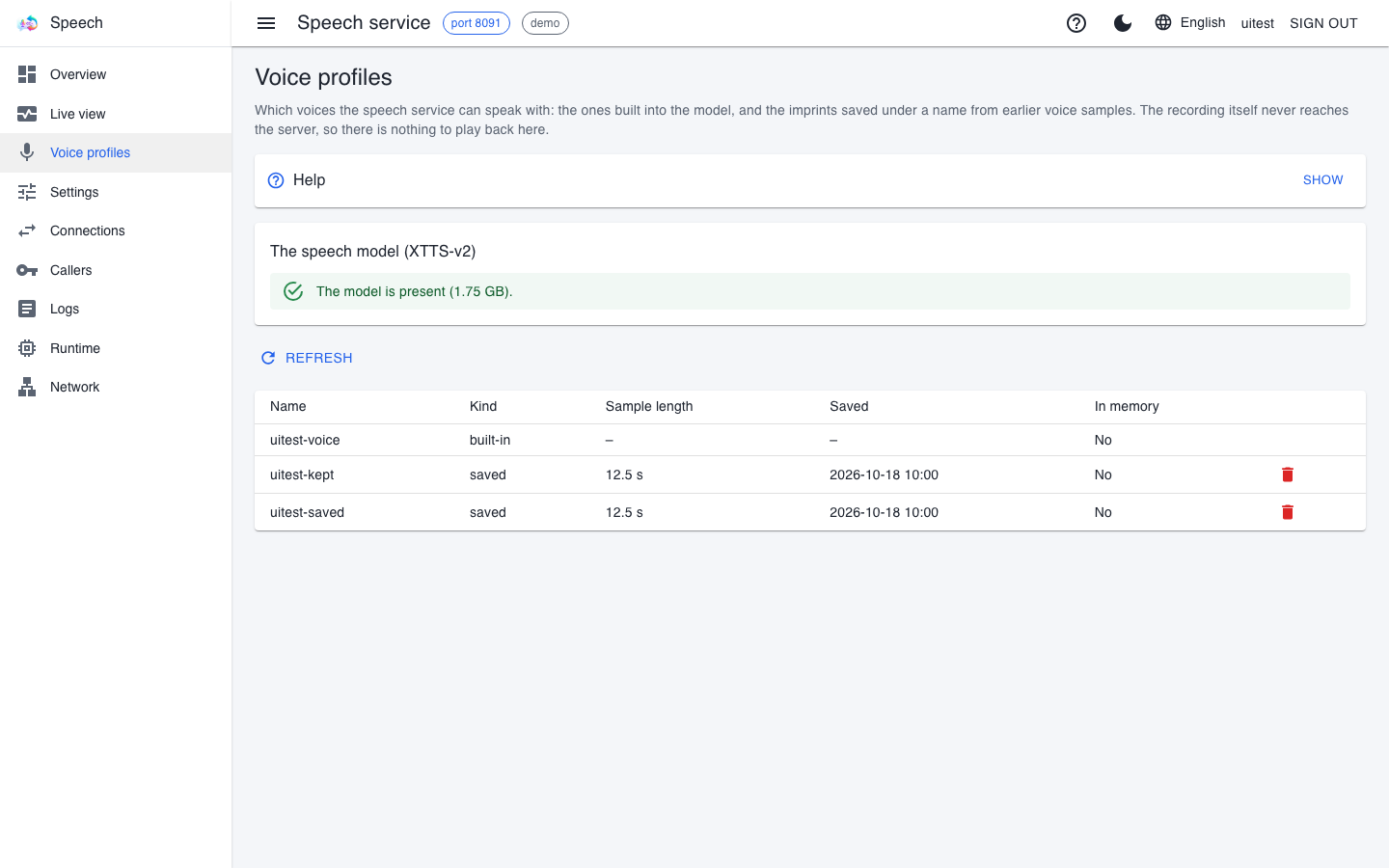
There are two kinds of rows:
- built-in: the model's own voice, supplied with it. It came with the model, so it cannot be deleted.
- saved: a voice profile uploaded by LiveCaption. Its name is also its identifier: LiveCaption uses this name to ask the interpreter to speak in this voice.
| Column | What it means |
|---|---|
| Name | The voice's identifier. |
| Kind | built-in or saved. |
| Sample length | How many seconds of recording it was made from. A longer sample usually gives a more faithful voice; under six seconds the service already warns at upload. |
| Saved | When the profile arrived on the service machine. A profile uploaded again under the same name replaces the old one – this column shows which one is on the machine now. |
| In memory | Whether it is in the engine's memory right now. The engine keeps only the few most recently used voices loaded; the next request loads the others again. This is not the profile's validity. |
The page has no playback, because there is nothing to play: the recording is not on the service. To try out a voice, use LiveCaption's voice test (Interpreting and voice sample). New voice profiles are uploaded by LiveCaption too, not by this page. If a warning stands where the list should be, the engine is not answering right now; once it is up, the Refresh button fetches the list again.
Deleting a voice profile
- Press the delete icon at the end of the saved row.
- The confirmation window says what will disappear; confirm it.
Deleting is final: the voice imprint cannot be restored, because the recording is not on the service. It needs a real sign-in, and the audit log records who deleted what. The voice sample left on the LiveCaption machine stays there, though, and LiveCaption may upload it again the next time it is used – if you want to be rid of a voice for good, delete the local sample too. Do not delete a voice during interpreting: the running interpreting notices at the next sentence that the voice is gone.
Live view
Live view works the same way as on the caption service (see the Live view section of The caption service chapter). On the voice service a dot is one synthesis: this many sentences are being made at once; the engine reports how many are running and how many are waiting.
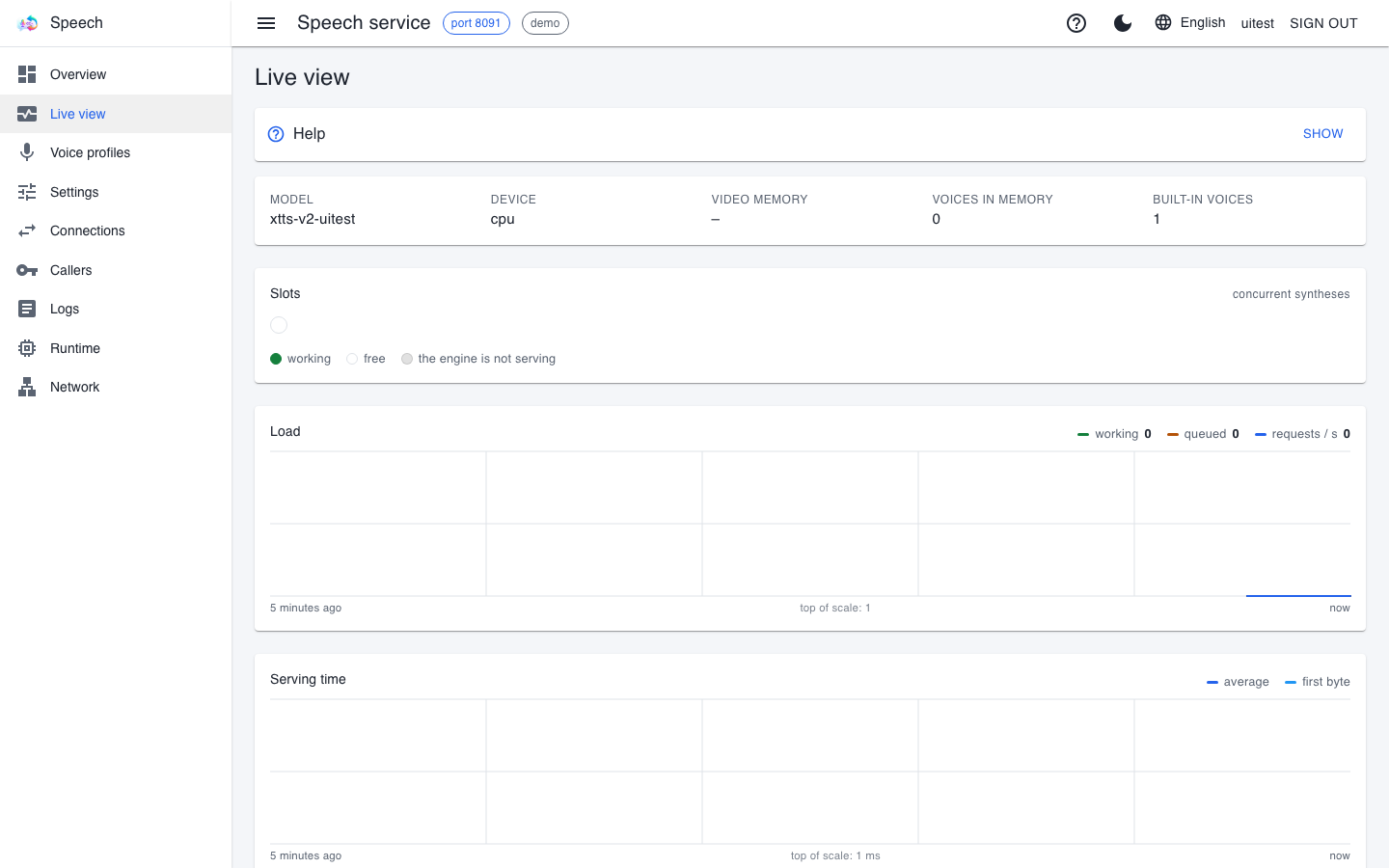
If the interpreter's voice lags and queued stays above zero for a long time, the engine cannot keep up with the sentences: check on the machine chart whether something else is using the graphics card.
Settings
The Settings page works as described in the common pages.
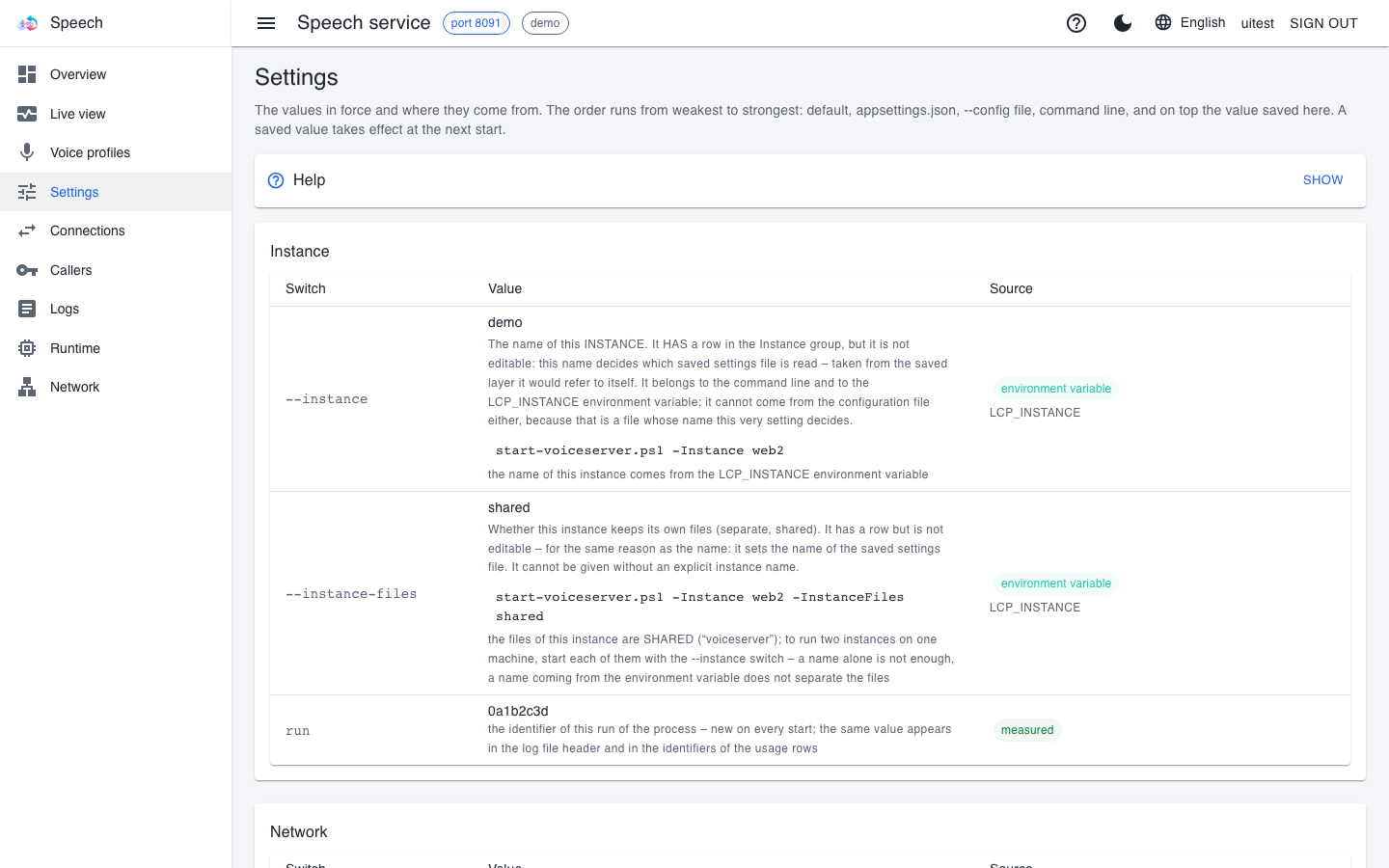
An important row on the voice service is device: which device the engine works on. By default it is cuda on Windows and Linux (cpu without an NVIDIA card), and mps on an Apple Silicon Mac (the Mac's graphics acceleration). If two voice services run on one machine, each can be given its own card (cuda:0, cuda:1). This row is shown but deliberately not editable on the page: set it with the start script's -Device switch or in the config file. If a card number does not exist, the engine stops with an explanatory error rather than silently switching to another one.
Runtime
The Runtime page works as described in the common pages; on the voice service it also shows where the model is (the TTS_HOME folder, outside the engine's environment) and the engine's own log file.
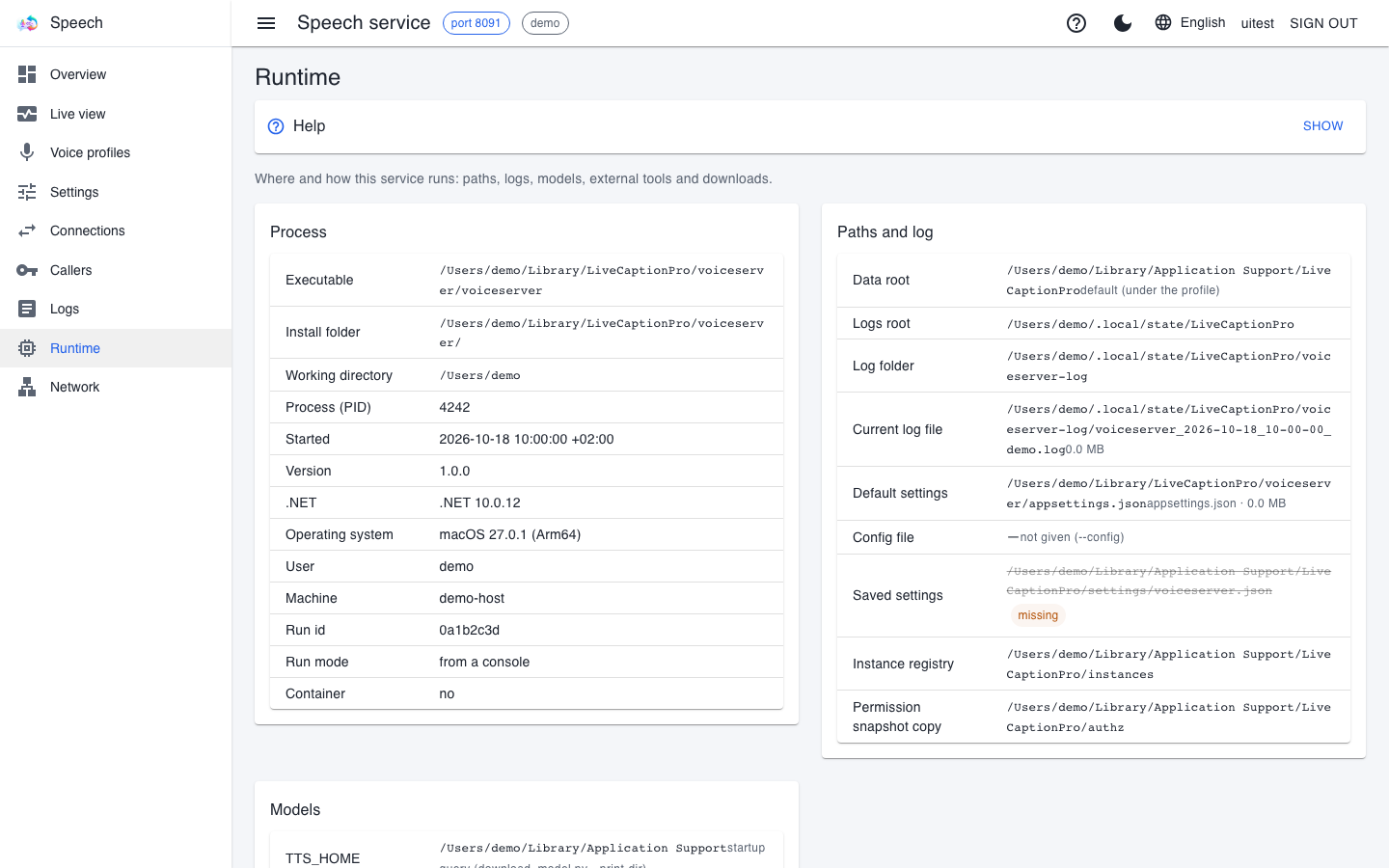
The front end's log is in the voiceserver-log folder, the engine's in voice-log. If the engine does not start, look at both: when troubleshooting, the question is exactly which of them saw what.
If the interpreter stays silent
- Overview shows "Failed": read the reason. If the model is missing, download it on the Voice profiles page.
- The engine runs but LiveCaption gets no audio: on the Connections page, check whether the request arrives and which code the service answers with. 401 or 403 means a key or permission problem.
- It does not speak in the speaker's voice: check whether the saved voice profile is in the list. If it is not, LiveCaption uploads it again the next time from the voice sample kept on its machine.
- The service does not start because video memory is short: the voice service has to start before the caption service, because the caption service takes almost all of the free memory.
More symptoms: Troubleshooting.